LMGLOKI MEDIA GROUP

LMG.CRM A CRM builder for your team

Build a CRMaround your work

Connect customers to orders, lessons or equipment. Add the fields you need, configure stages and choose what your team sees in its working views.

Sign up with Google or email

Opening the sample workspace…

Open the records behind a report

A metric leads to specific records. From the selected order, open its customer and vehicle.

Interactive LMG.CRM example · Russian interface · sample data

Explore the builder

Three examples of one platform

Different businesses. Different CRMs

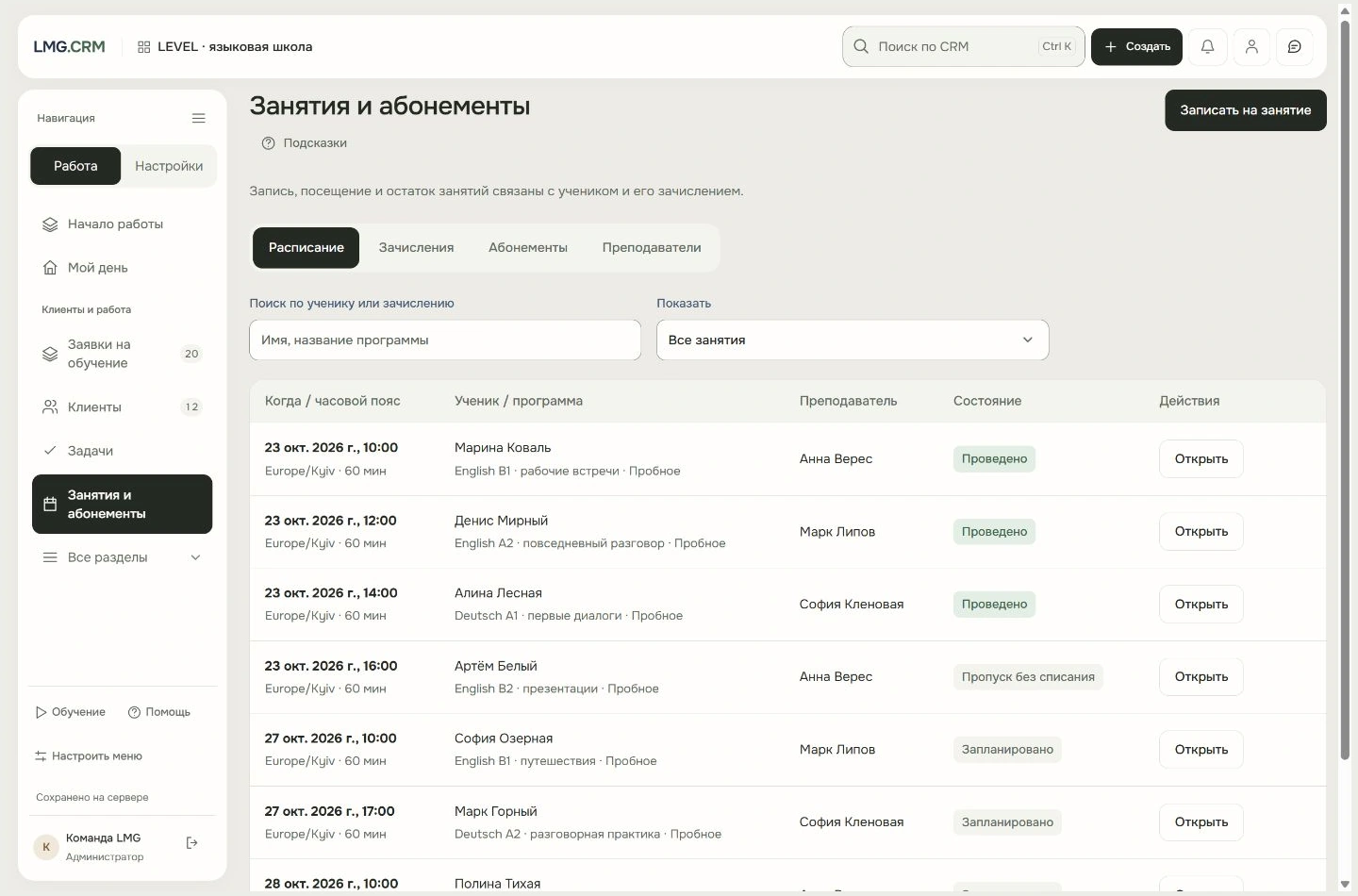
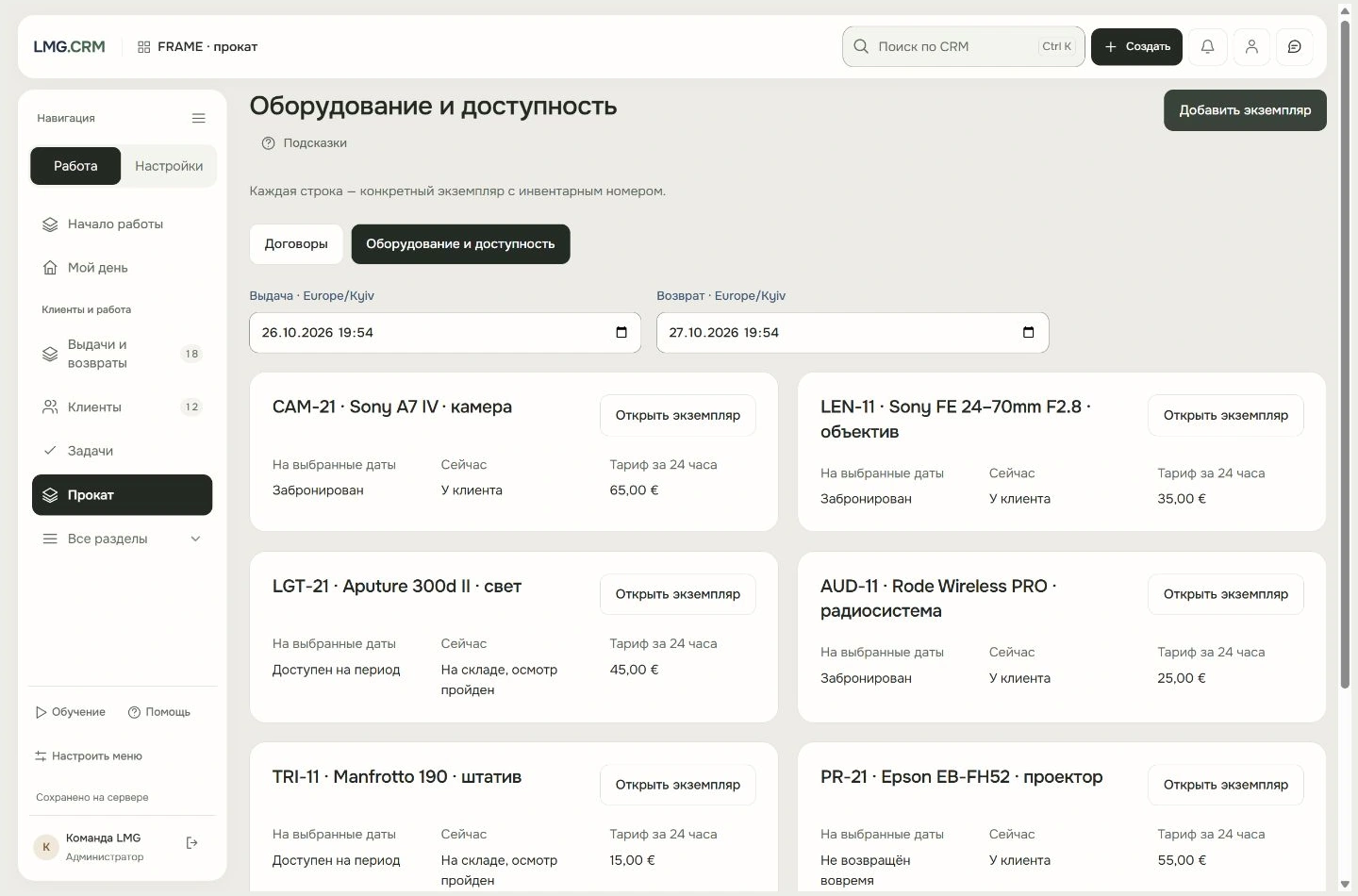
Compare a repair shop, a school and an equipment rental business. Each has its own records, relationships and working actions.

PIT-STOP

A customer calls. Their order is right there

The order holds the vehicle, diagnosis, deadline and next task. Open the customer or vehicle record, then return to the conversation with the details you need.

Connected in this CRM

CustomersVehiclesJobs
What to look for

The order opens with its relationships. The vehicle’s history stays connected to its records.
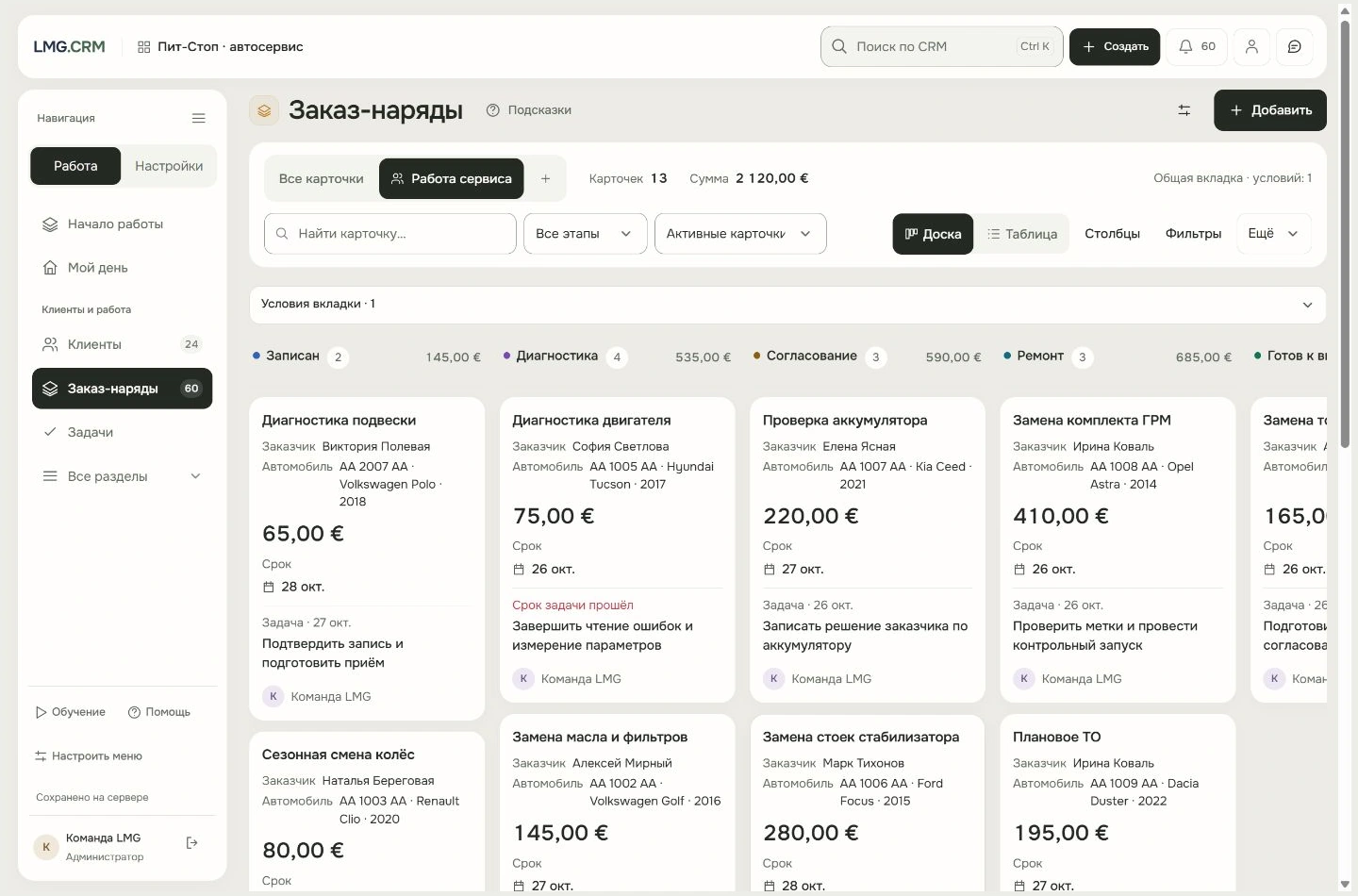
Jobs in progress — LMG.CRM

LMG.CRM screens · Russian interface · sample data
Configuration you can see at work

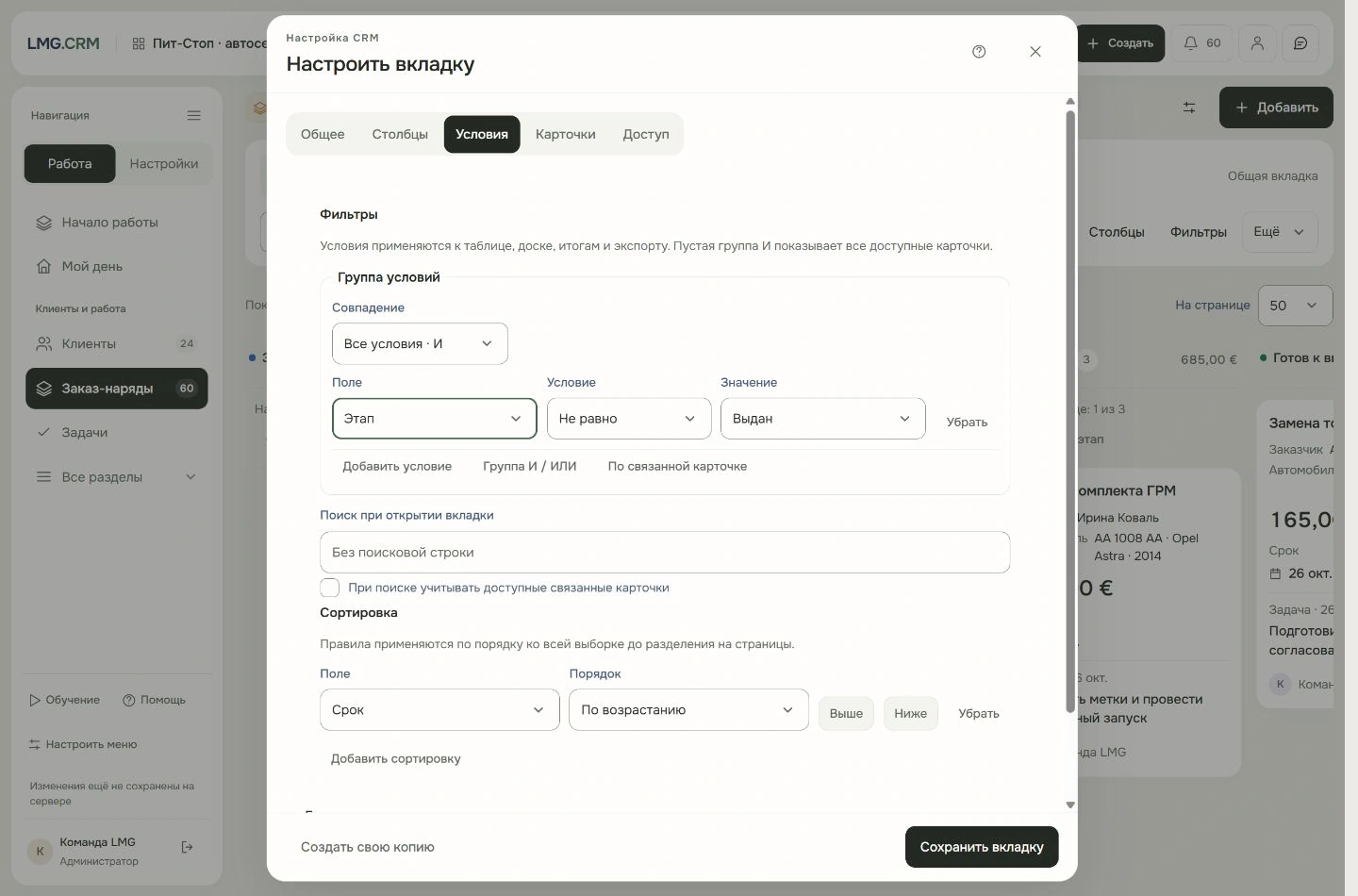
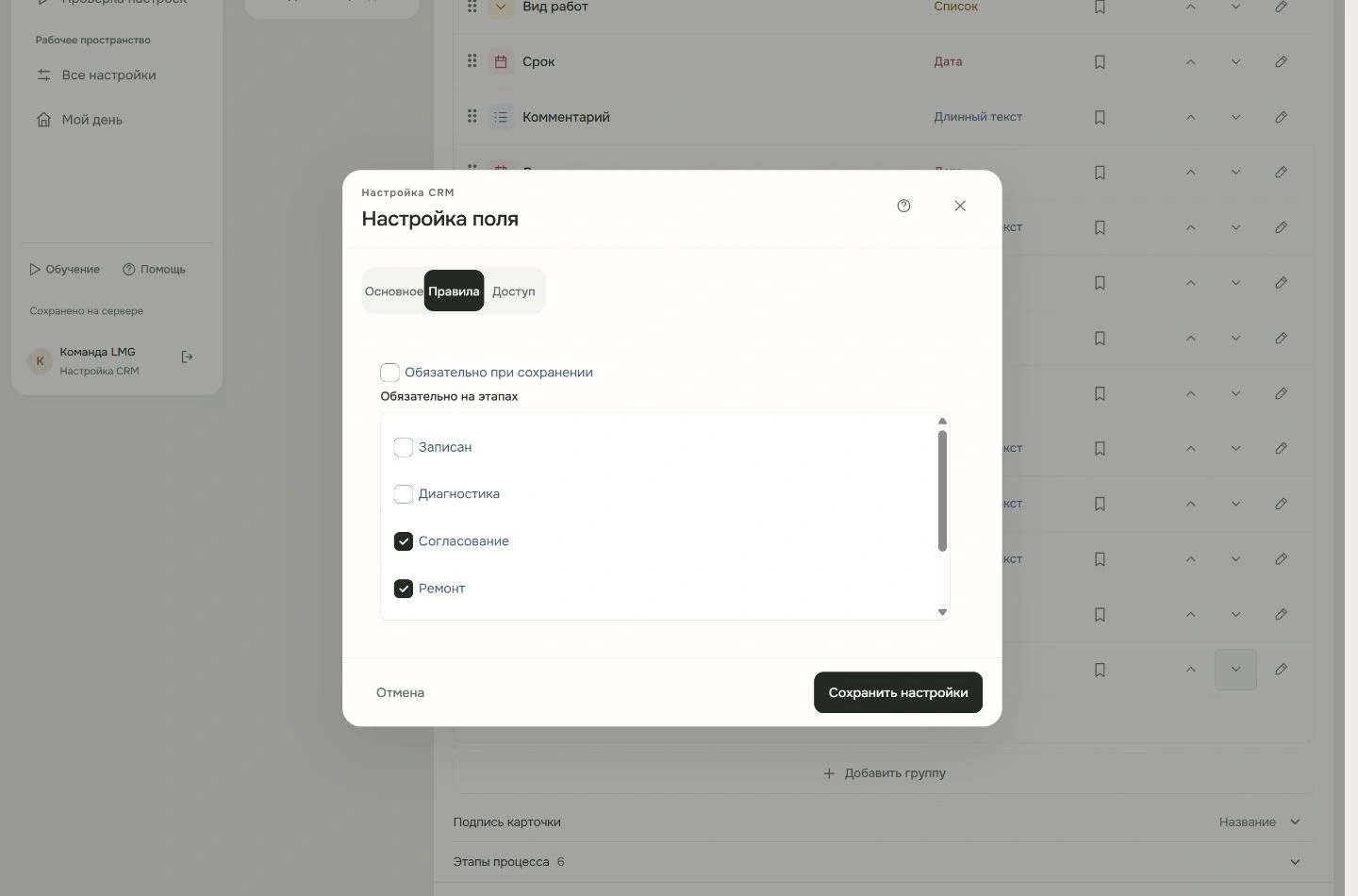
Choose what to track and how to work

Choose an example and compare the configuration screen with what your teammate sees.

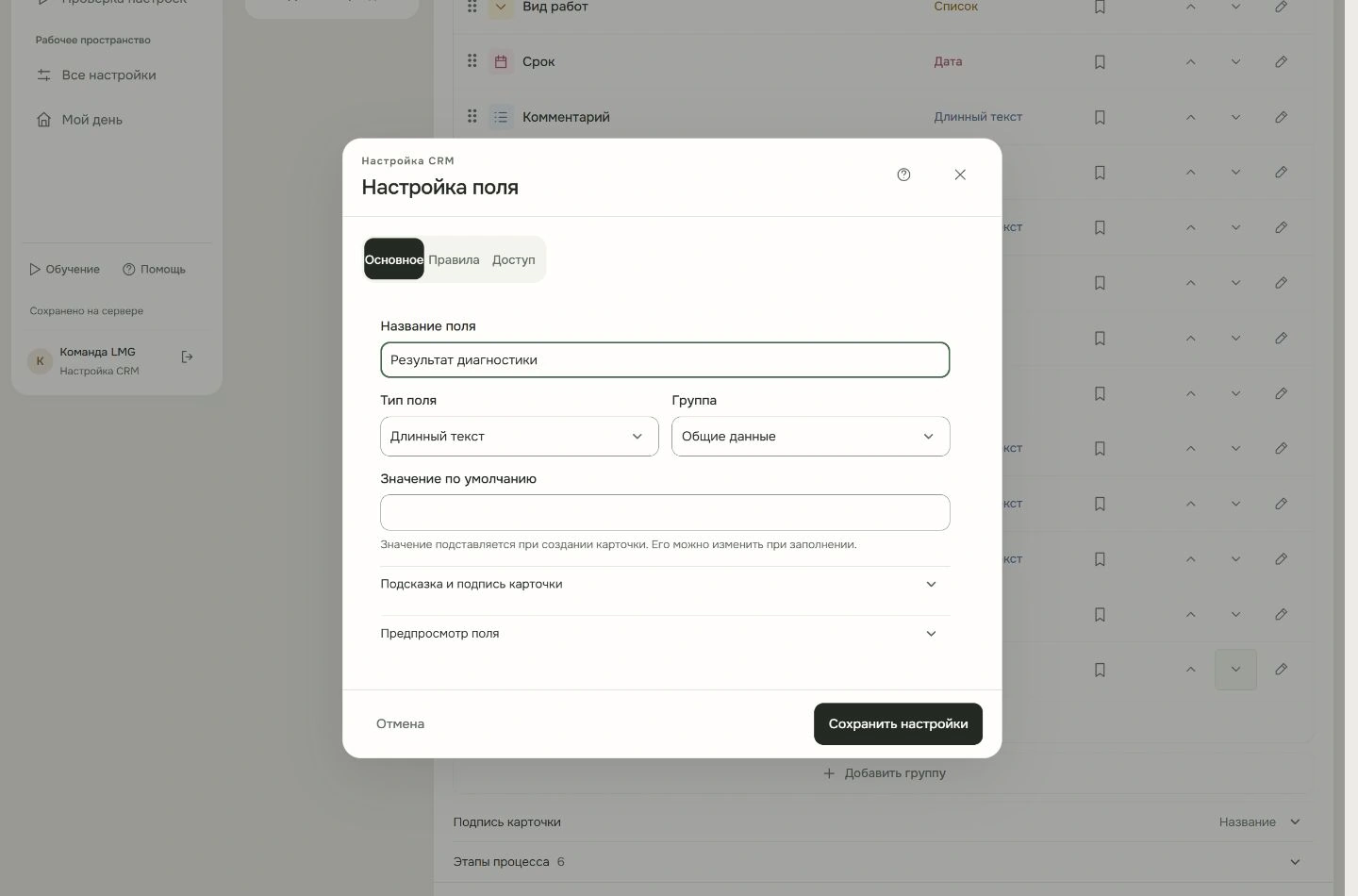
A diagnosis needs a place in the order — LMG.CRM

Repair shop example

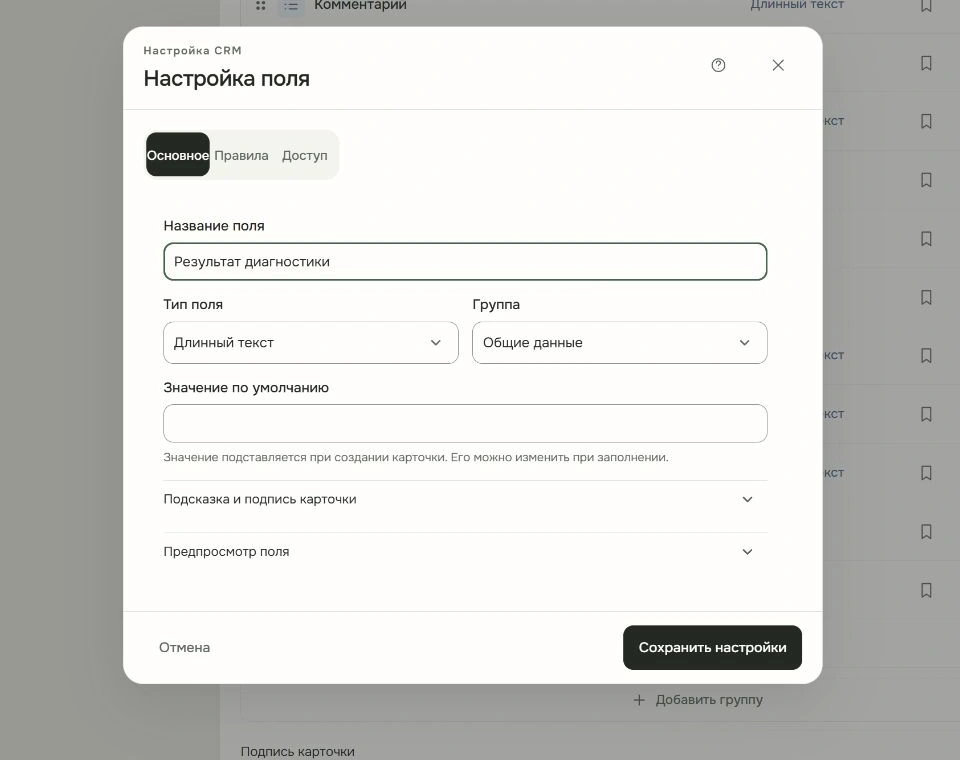
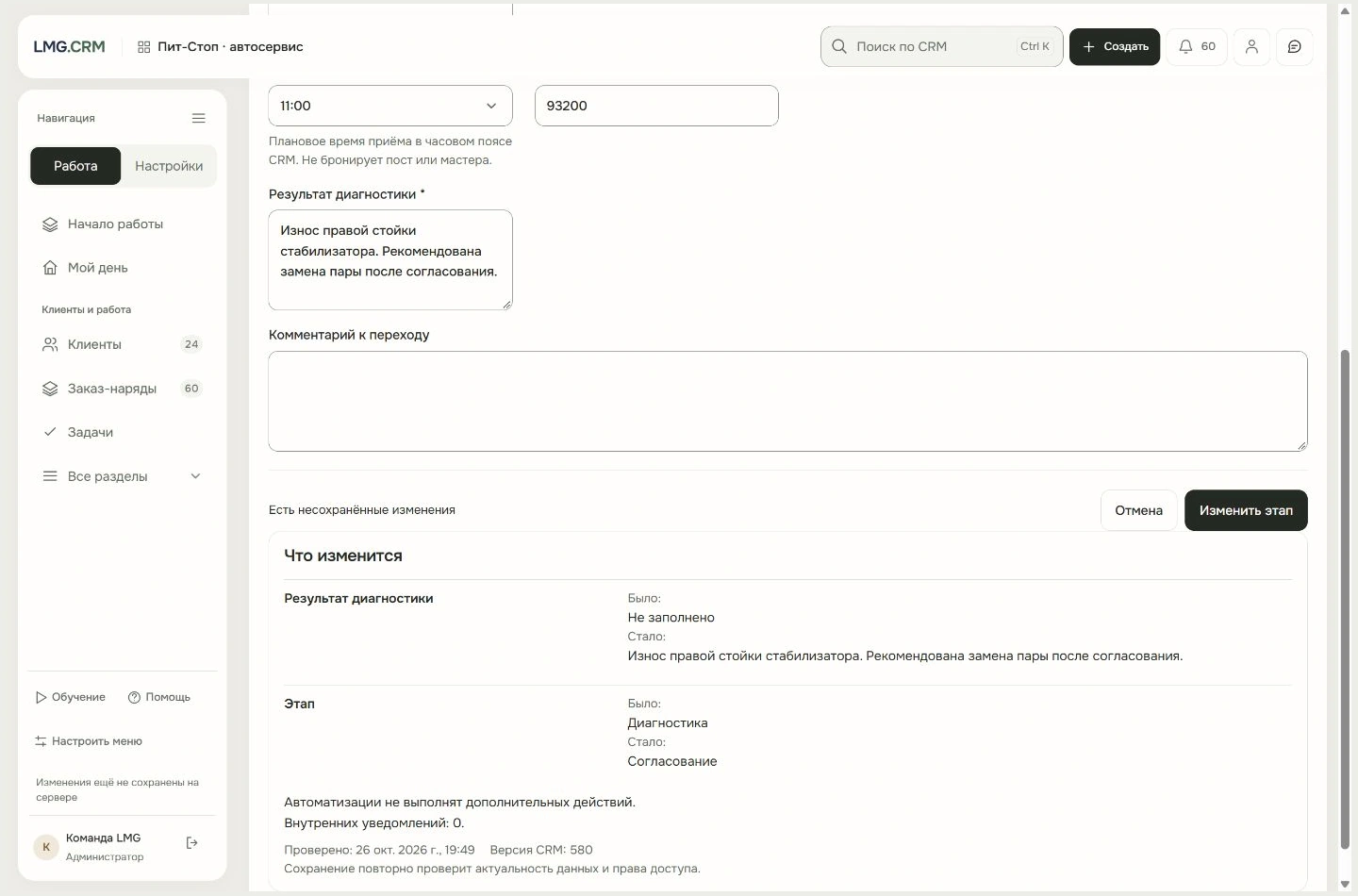
A diagnosis needs a place in the order

You define
Add a Diagnosis result field. Choose its data type and the section it belongs to.
Your team gets
The diagnosis stays in the order alongside the vehicle, customer and other repair details.

Compare the field editor and the working record.

Review what a structural change will affect before applying it

Configure access for your team, too

A manager can see the team’s work; an employee sees permitted records and fields. Viewing and editing permissions can be set separately.

Before you begin

A few things to know

What can I configure myself?

Sections, fields, relationships between records, workflow stages and transition requirements. You can also choose table columns, board card fields, reports and team permissions.

How do I know if it fits my business?

Start with what you track every day: customers, jobs, lessons, equipment or other items. Consider the relationships and actions you need. The examples on this page show a few possible models; you can configure your own structure.

Can I bring in spreadsheet data?

Yes. The CRM supports CSV import. Save your spreadsheet in that format and match its columns to your CRM fields during import.

What am I seeing in the demo?

You can open and explore the main example yourself: it is the actual LMG.CRM interface with sample data. Below are short demonstrations and comparisons of real screens, showing workflows and configuration results. The example does not save changes to your account.

What happens after I sign up?

Create a CRM, choose a starting point and configure its sections, fields and relationships. Once you have reviewed and applied the structure, you can add working records and tasks.

From the example to your work

Now build your own CRM

Start with the work you manage every day. Create sections, connect records and define the next step for your team.

Create an accountSet up your structureAdd your first records

LMG.CRM screens · Russian interface · sample data
LMG.CRM

LMG / Your project

Let's start with your needs

Leave your details and let's discuss your future CRM.

You can paste a number with its country code.

By submitting, you allow LMG to contact you about your project. We store your contact details, language, URL, IP and available location in our CRM; the LMG team also receives the enquiry in Telegram.